
How to Turn Your Apple Watch Into an iPod
You probably did not buy an Apple Watch so it could sit in a drawer.
But that is where many perfectly good Apple Watches end up. Not broken. Not useless. Just no longer exciting.
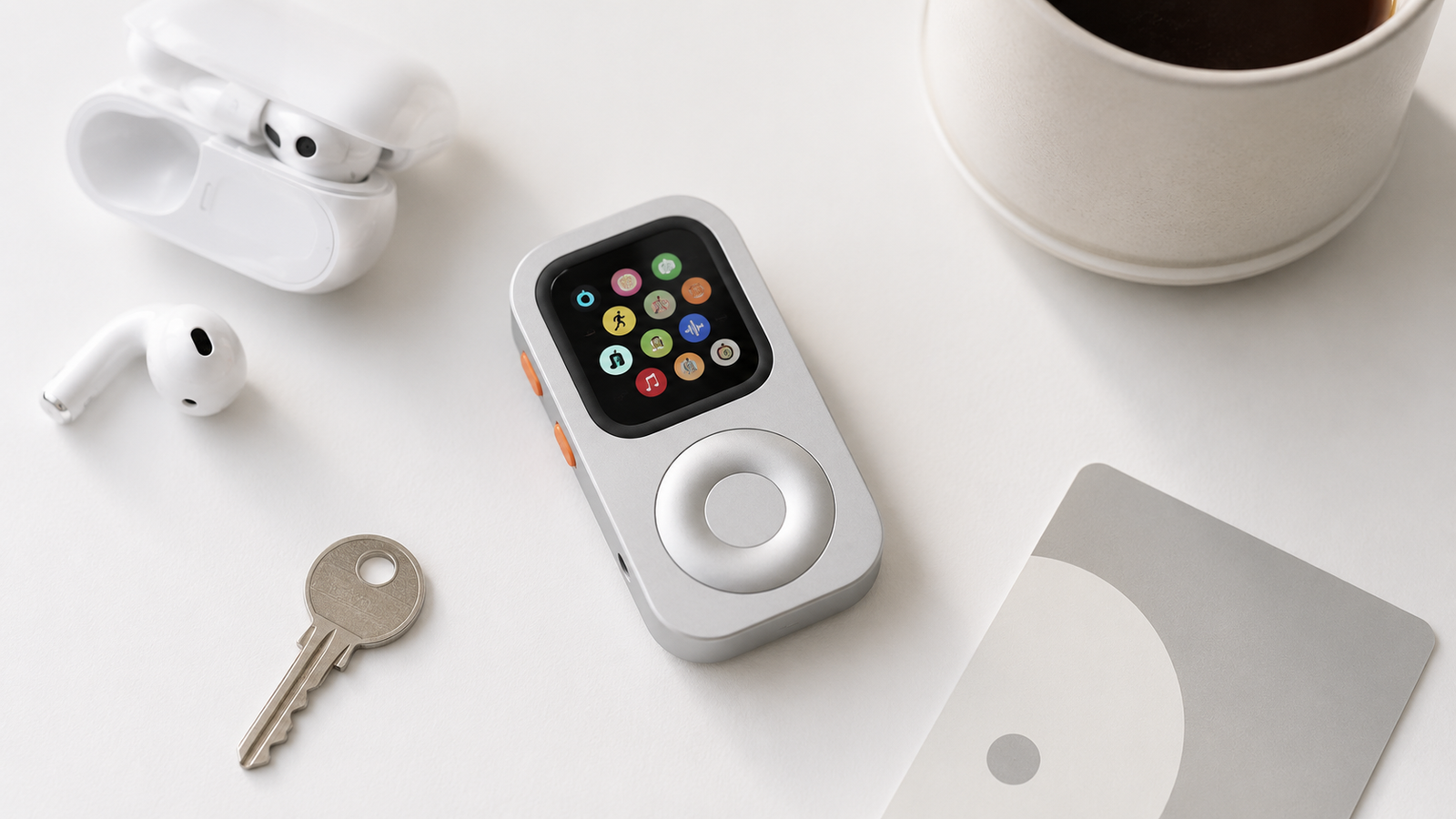
Can You Really Turn an Apple Watch Into an iPod?
Yes — but not by replacing watchOS, installing a fake iPod app, or pretending your Apple Watch is something it is not.
The better way to think about it is this:
Your Apple Watch already has the core functions of a modern pocket device. It can play music, take calls, send short messages, use Apple Pay, run timers, open maps, trigger shortcuts, and connect with AirPods.
What it lacks is not capability. It lacks form.
On your wrist, the Apple Watch is great for quick glances. But when you try to use it as a small standalone device, it can feel awkward. The screen is tiny. Your wrist is not a stable operating platform. Scrolling through music, lists, messages, or apps is possible, but not always pleasant.
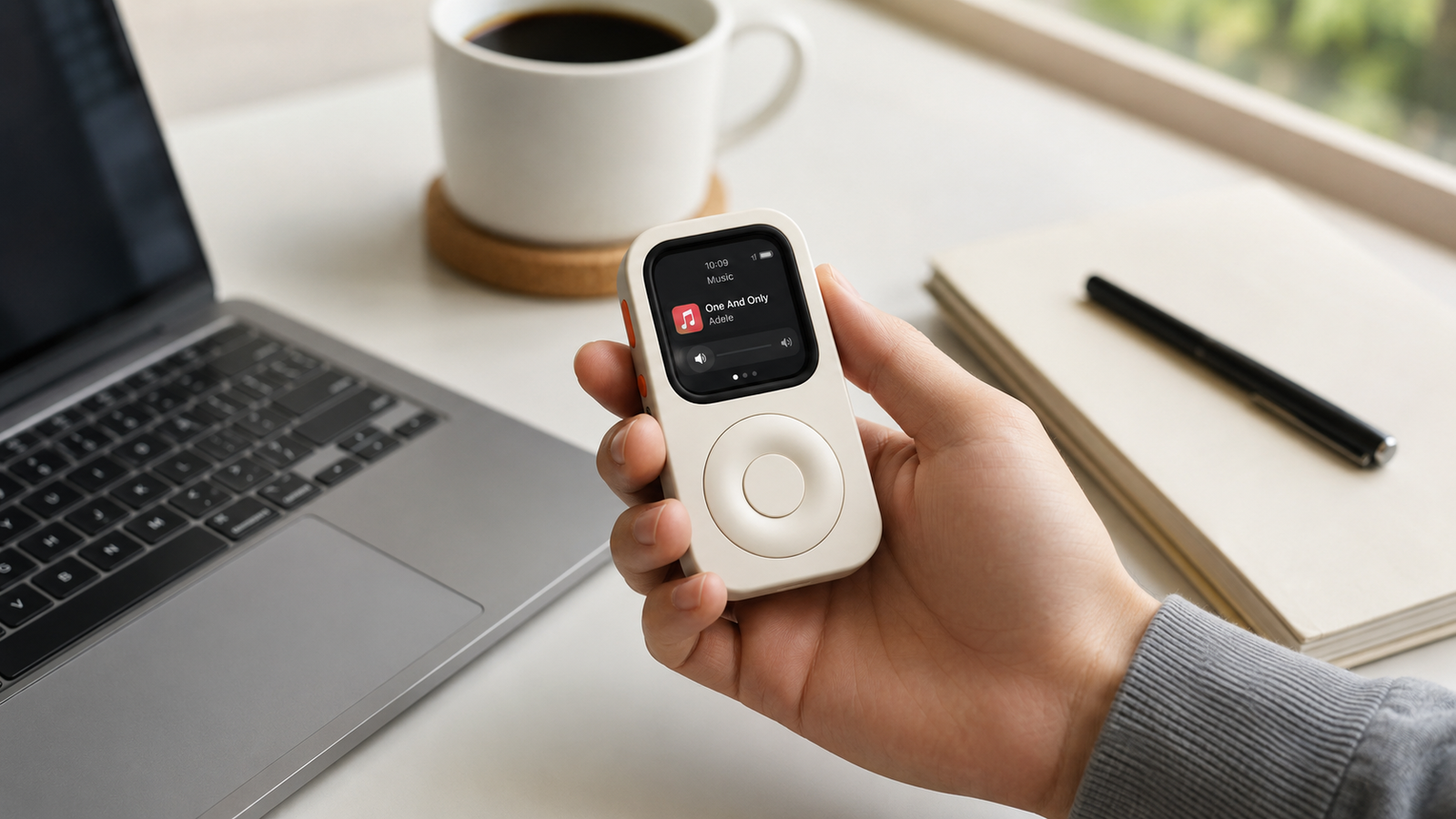
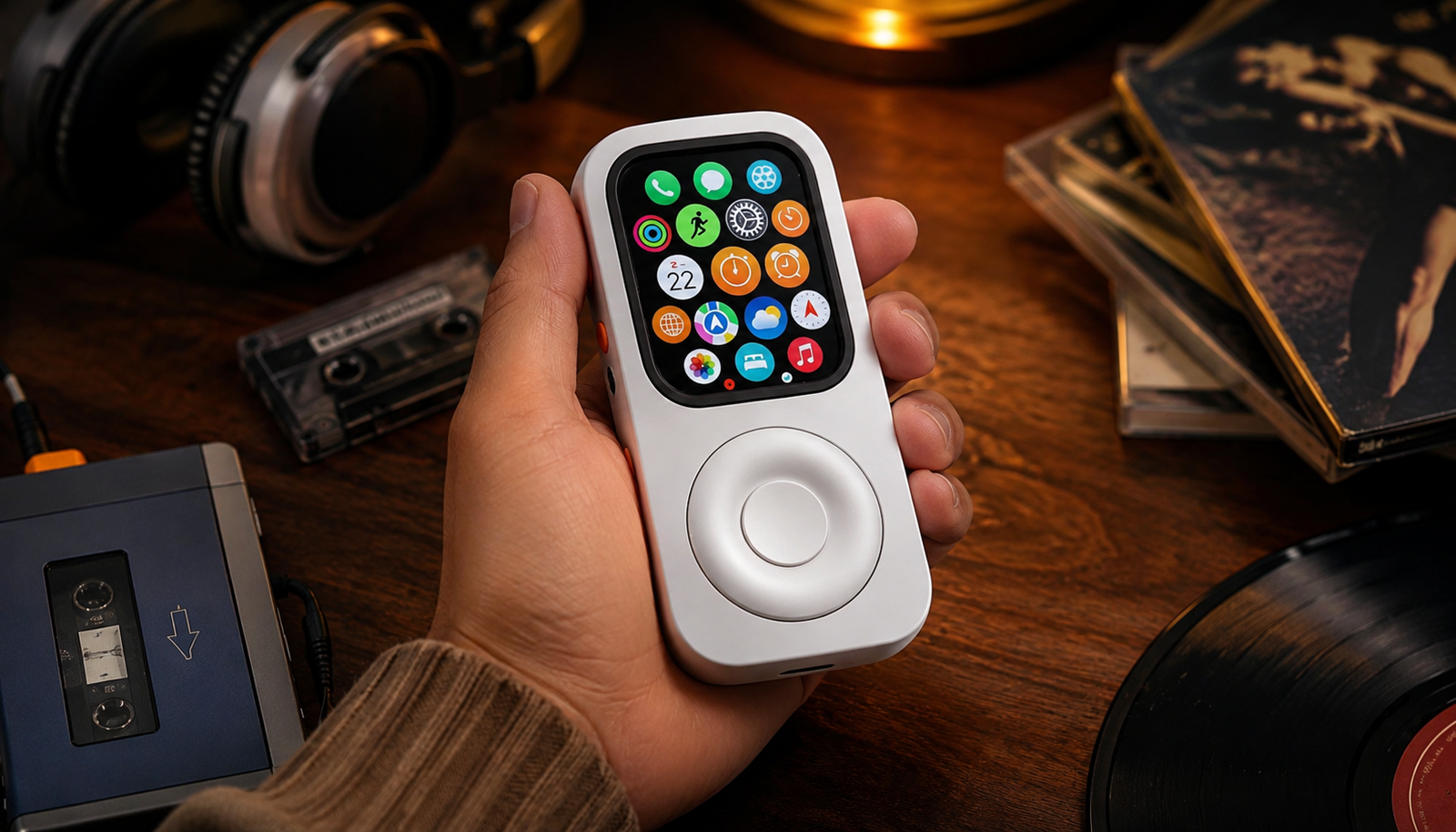
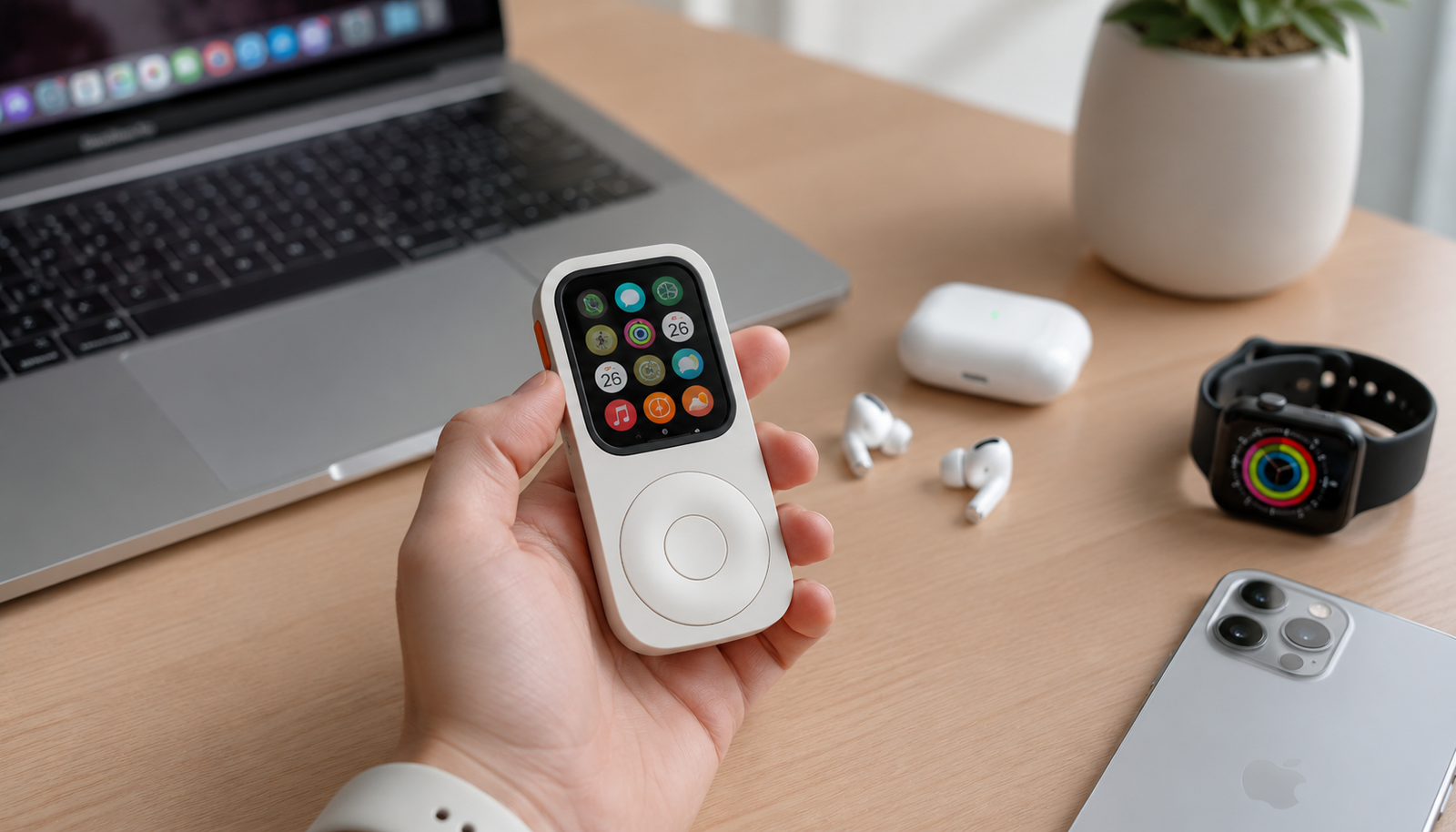
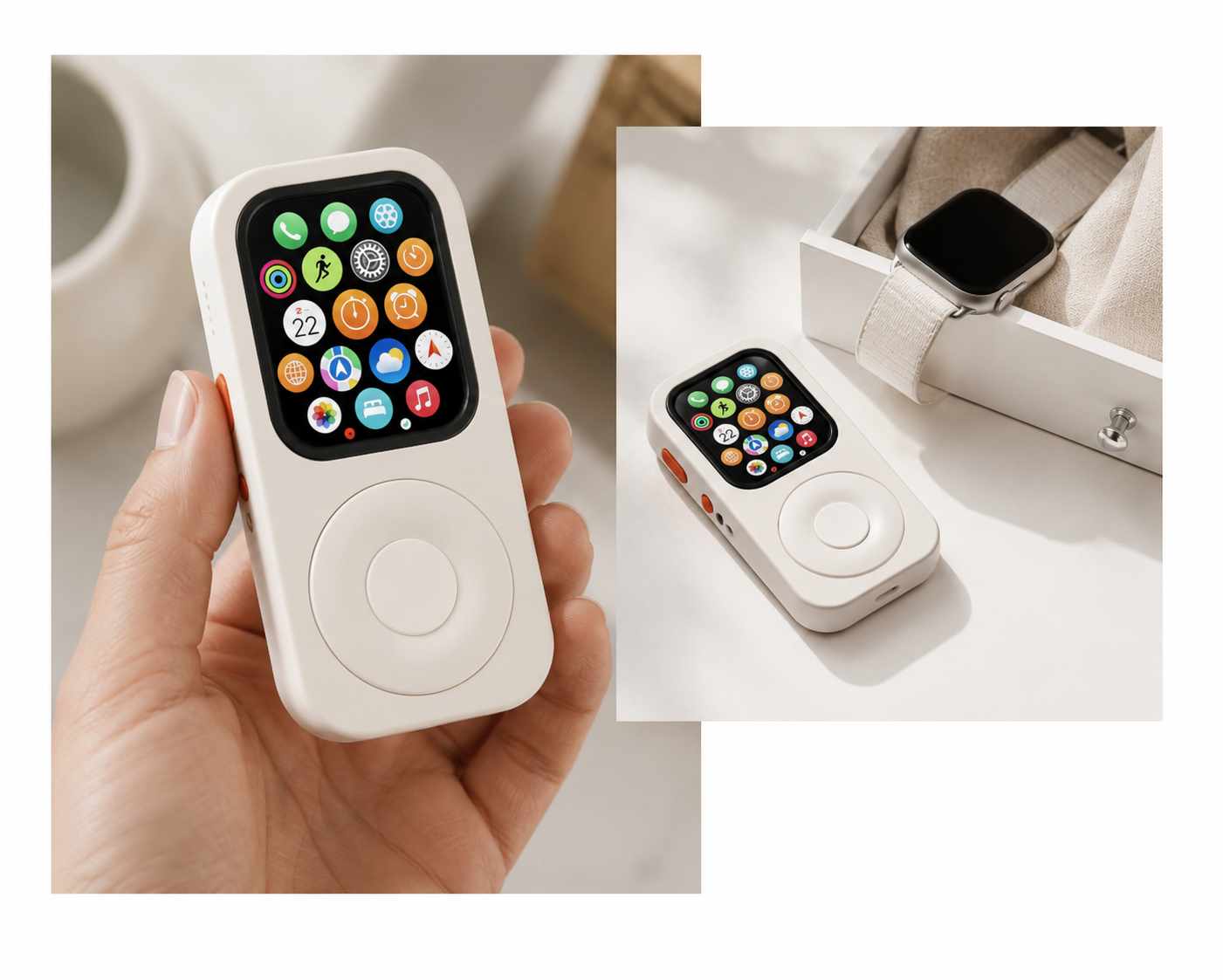
JustRePod changes the form. It turns the Apple Watch from something you operate on your wrist into something you can hold, scroll, and use more like a small focused device.
It does not turn your Apple Watch into an old iPod.
It turns it into something more useful: an iPod-inspired Apple Watch setup for modern everyday use.
What You Need?
To build an Apple Watch iPod-style setup, you need a few simple things:
- An Apple Watch
- A JustRePod case that matches your Apple Watch size
- AirPods or other Bluetooth headphones
- Apple Music, Spotify, Podcasts, or downloaded audio
- Apple Pay set up, if you want phone-free payments
- A cellular Apple Watch, if you want calls and messages without your iPhone nearby
A cellular Apple Watch gives you the most freedom, especially if your goal is to leave your iPhone at home. With cellular, you can take calls, receive messages, use Siri, stream music, and stay reachable during short trips, workouts, walks, or errands.
A GPS-only Apple Watch can still be useful, especially for downloaded music, timers, workouts, and basic offline functions. But if you want the closest thing to a phone-free Apple Watch setup, cellular is the better choice.
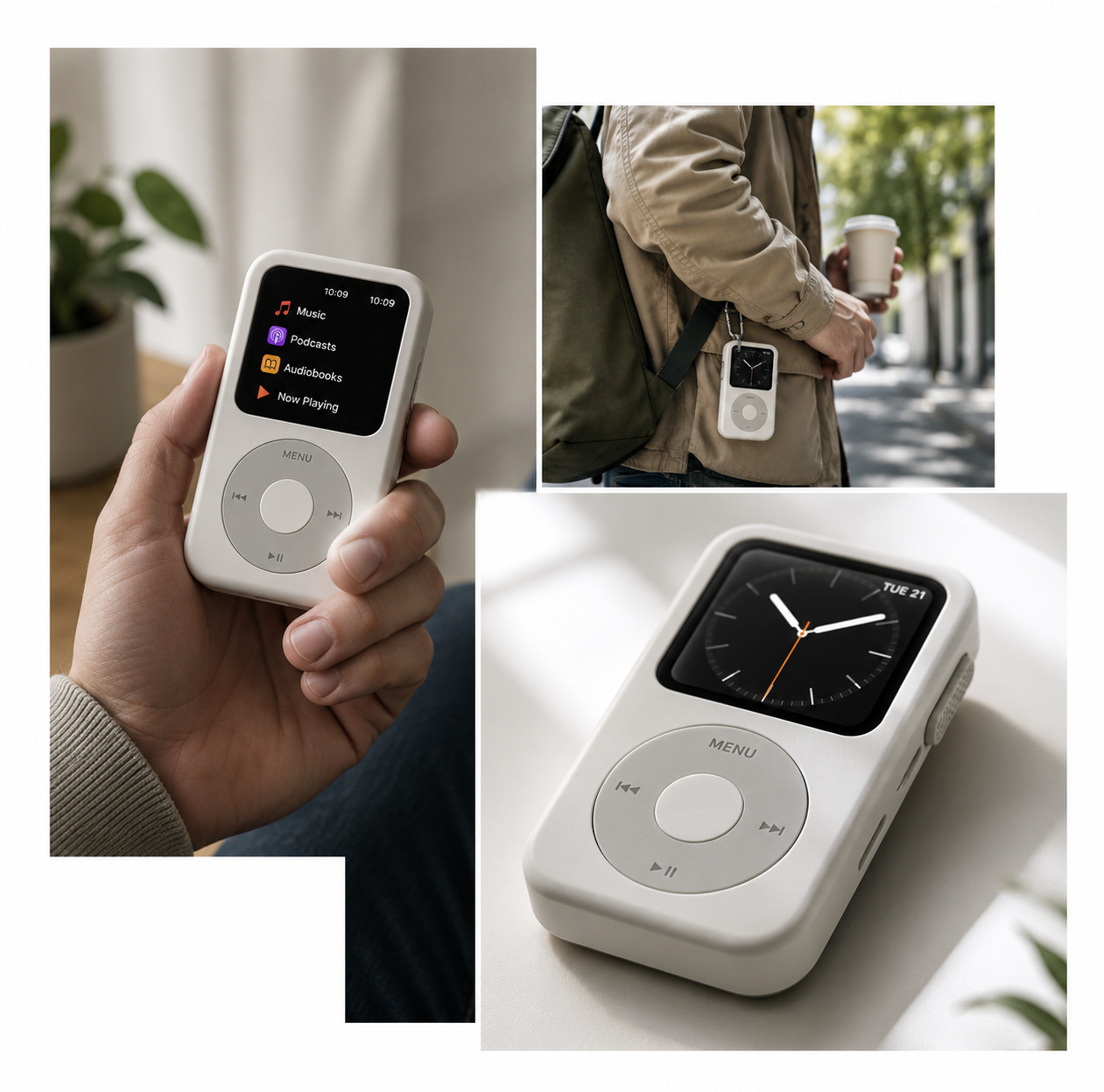
1. It Changes How You Hold the Apple Watch
The Apple Watch was designed for the wrist. That is useful for notifications, workouts, health tracking, and quick glances.
But not every Apple Watch function feels best on your wrist.
Music, short messages, voice notes, timers, maps, reminders, and quick app actions often feel more natural when the device is in your hand. You can look down, scroll, speak, tap, and put it away. No wrist twist. No awkward angle. No trying to operate a tiny screen while your arm is half-raised.
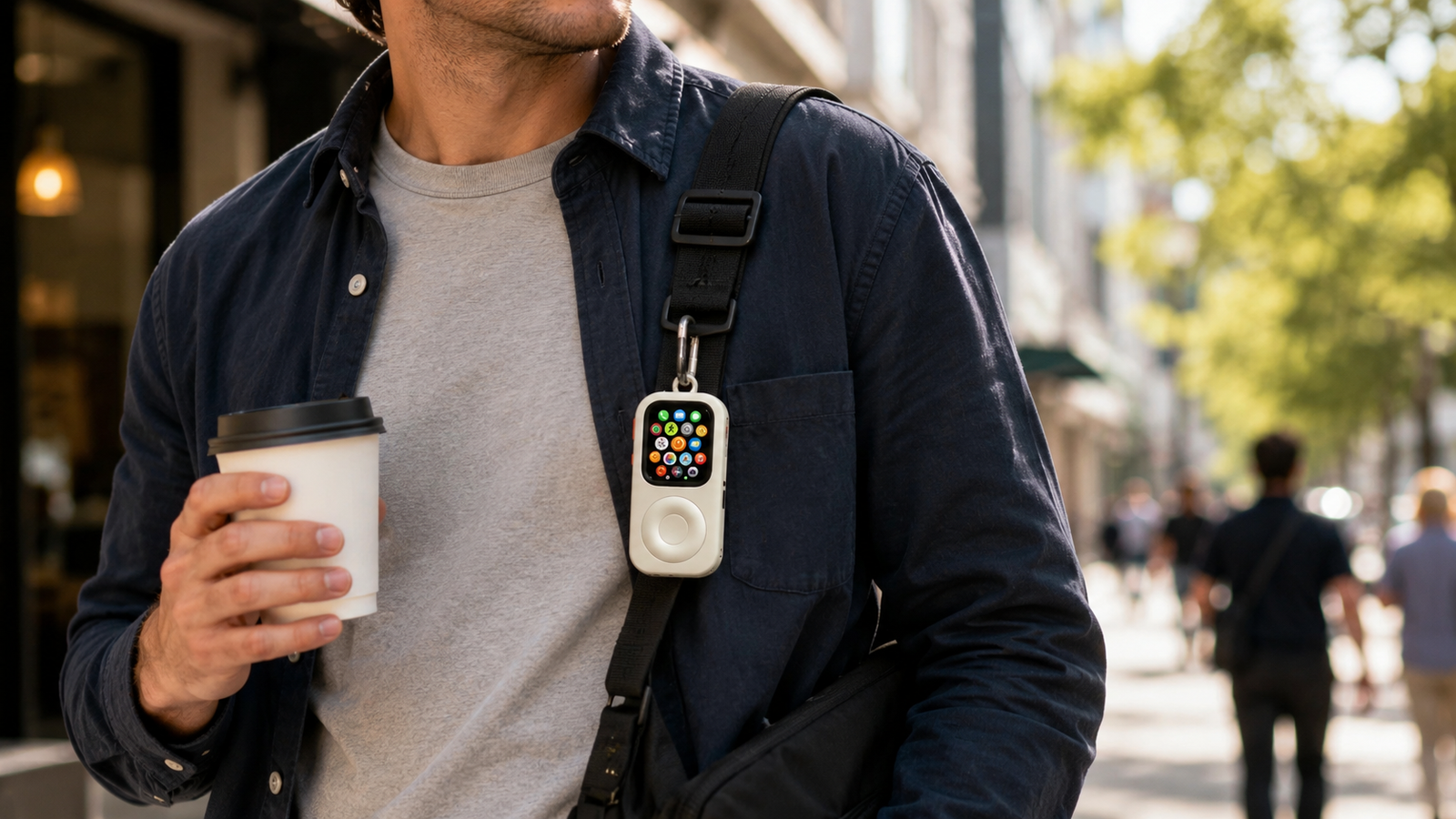
JustRePod gives your Apple Watch a new position: not hidden on your wrist, not lost in your pocket, but available as a small everyday device.
2. It Brings Back Tactile Scrolling
The scroll wheel is the soul of the iPod experience.
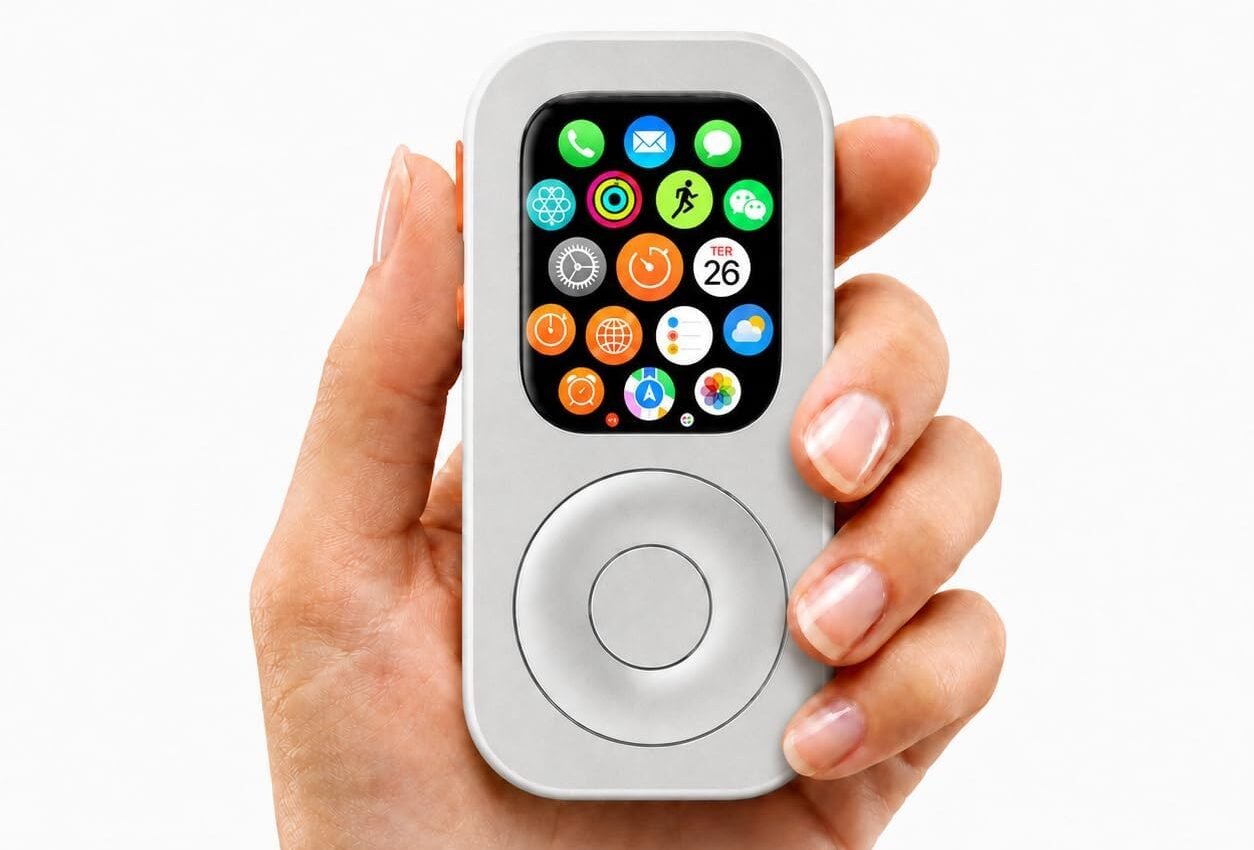
JustRePod brings that idea back for Apple Watch. Instead of relying only on tiny touch gestures, the wheel gives your fingers something physical to do. It makes scrolling through music, lists, notifications, and menus feel more deliberate.
The point is not nostalgia for nostalgia’s sake.
The point is control.
Touchscreens are powerful, but they are not always satisfying. A wheel gives the interaction a rhythm. You turn, browse, pause, choose. It feels closer to using a dedicated object, not just another tiny screen.
3. It Makes Music Feel Natural Again
The Apple Watch can already play music.
It just never really looked or felt like a music player.
Pair it with AirPods, open Apple Music, Spotify, or Podcasts, and you already have a small audio device. With JustRePod, that same setup feels more intentional. It becomes something you can hold while walking, commuting, working, or getting ready for a run.
This is where the iPod-style form makes the most sense.
You are not trying to recreate the past exactly. You are giving your Apple Watch a form that makes its music features feel obvious again.
4. It Reduces Phone Temptation
A phone is useful until it becomes the thing you keep checking for no reason.
The advantage of an Apple Watch iPod setup is that it keeps the essentials while leaving out most of the noise. You still get music, calls, short messages, Apple Pay, Siri, timers, maps, and reminders.
But you are not carrying a giant screen built for social feeds, videos, news loops, and endless browsing.
That is the point.
JustRePod does not try to turn your Apple Watch into a smaller iPhone. It makes the Apple Watch better at being what it already is: a compact, focused Apple device for the moments when your phone is too much.
What You Can Do With an Apple Watch iPod Case Setup
An Apple Watch inside JustRePod is still an Apple Watch. That is important.
It runs watchOS. It uses Apple Watch apps. It keeps the same core Apple Watch features. JustRePod changes the way you carry and interact with it.
Here is what you can realistically do with this setup.
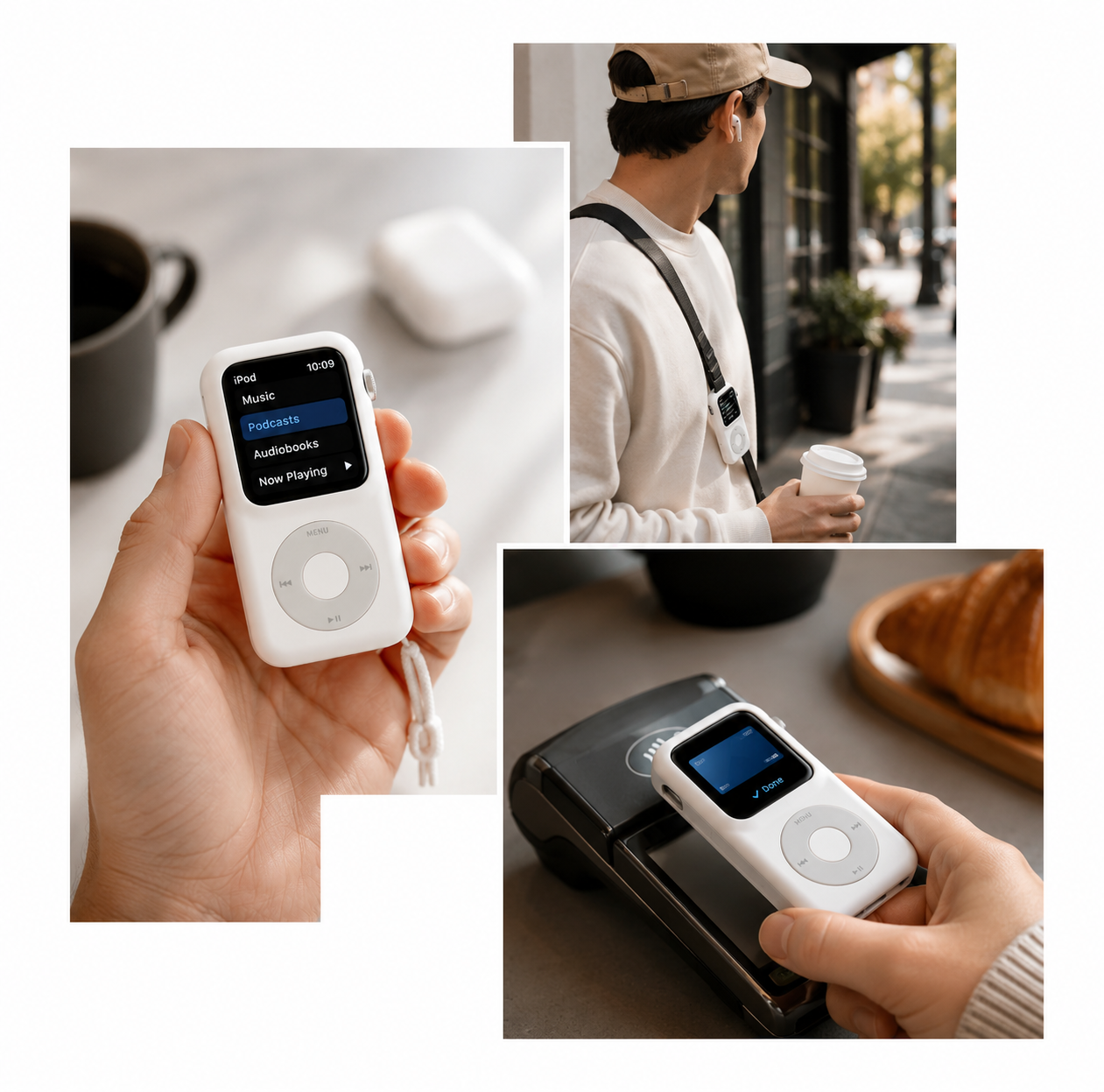
Listen to Music and Podcasts
This is the most obvious iPod-like use case.
Pair your Apple Watch with AirPods or Bluetooth headphones, open your music or podcast app, and you have a small audio device that does not need to pull your iPhone into the moment.
Use it for:
- Walks
- Running warmups
- Gym sessions
- Coffee runs
- Commuting
- Focus time
- Podcasts before bed
- Phone-free weekend mornings
If your Apple Watch supports offline downloads or cellular streaming, the setup becomes even better. You can leave your iPhone behind and still keep your music with you.
Take Calls
With a cellular Apple Watch, you can take calls even when your iPhone is not with you.
That makes the setup useful for short trips, workouts, errands, dog walks, grocery runs, or times when you want to stay reachable without carrying a full smartphone.
It is not meant to replace the comfort of a full phone call setup for every situation. But for quick calls, important contacts, and staying available when needed, it works surprisingly well.
And unlike a traditional iPod, your Apple Watch can actually keep you connected.
Send Messages With Siri
Apple Watch is not ideal for writing long messages.
That is fine.
For quick replies, voice dictation, and short updates, Siri makes it good enough. You can send a message, reply to someone, or handle a small task without taking out your iPhone.
The goal is not to write essays from your wrist or from a tiny screen.
The goal is to stay lightly connected.
A good phone-free setup should let you respond when it matters and ignore the rest when it does not.
Use Apple Pay
Apple Pay is one of the reasons this setup works so well.
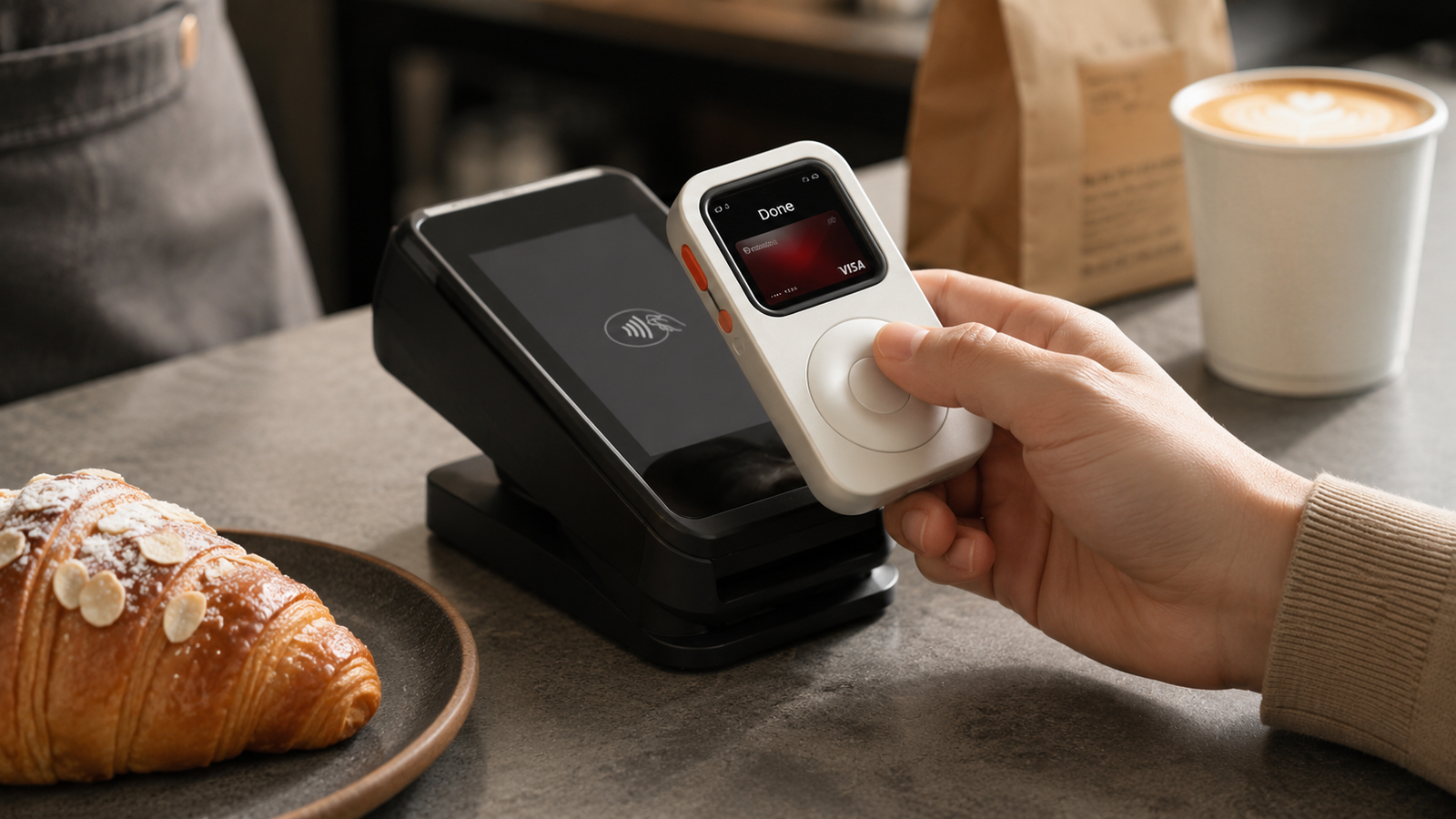
You can leave your phone and wallet behind for small errands, transit, coffee, or a quick grocery run. Your Apple Watch already supports fast payments. JustRePod makes the watch feel more like something you intentionally carry, not something hidden under a sleeve.
For many people, this is the feature that makes a phone-free routine realistic.
Music is nice.
Calls are helpful.
But payments are what let you actually leave the house with less.
Use Timers, Maps, Reminders, and Shortcuts
The Apple Watch is also good at small, fast actions:
- Timers
- Alarms
- Reminders
- Maps
- Voice memos
- Shortcuts
- Quick messages
- Calendar checks
- Simple app controls
These are not glamorous features. They are better than that. They are useful.
In a JustRePod setup, these actions feel more like using a small tool than operating a tiny screen strapped to your wrist.
Need to set a timer? Ask Siri.
Need to check a reminder? Open it.
Need to trigger a shortcut? Tap once and move on.
The best technology sometimes gets out of the way quickly.
What It Does Not Do
JustRePod does not turn your Apple Watch into a full iPhone.
That is the point.
Instead, it gives the Apple Watch a more focused form for the things it already does well: music, calls, short messages, Apple Pay, Siri, maps, timers, and quick actions.
If you want a smaller iPhone, this is not it.
If you want a way to leave your iPhone behind without becoming unreachable, this setup makes a lot more sense.
Step-by-Step Setup
Step 1: Check Your Apple Watch Size
Before buying a case, check your Apple Watch size.
Apple Watch sizes vary by generation, including 40mm, 41mm, 42mm, 44mm, 45mm, 46mm, and 49mm. Choosing the correct JustRePod size matters. A case designed for one Apple Watch size will not automatically fit another.
Use the size guide before ordering:
Step 2: Choose the Matching JustRePod
Once you know your Apple Watch size, choose the matching JustRePod model.
If you are using Apple Watch Ultra, look for the 49mm version. If you are using a standard Apple Watch, match the case to your exact watch size.
Shop JustRePod here:
Step 3: Remove Your Apple Watch Band
Remove the original Apple Watch band before installing the watch into JustRePod.
JustRePod is a full case setup, not a standard watch band accessory. It changes the way the Apple Watch is carried and used, so the original band is not used while the watch is inside the case.
Step 4: Install the Apple Watch Into JustRePod
Carefully slide your Apple Watch into the JustRePod case.
Do not force it. Make sure the watch is aligned correctly and seated securely. The goal is a clean fit that keeps the screen, controls, charging access, and audio openings usable.
Once installed, the watch should feel like a new device — familiar on the inside, different on the outside.
Step 5: Pair AirPods or Bluetooth Headphones
For music, podcasts, calls, and Siri, pair your Apple Watch with AirPods or Bluetooth headphones.
This is what makes the setup feel complete.
The Apple Watch handles the audio. The headphones handle listening and calls. JustRePod gives the watch a more natural form in your hand.
Step 6: Set Up Music, Apple Pay, and Siri
Before leaving your iPhone behind, set up the essentials:
- Download playlists or enable cellular music streaming
- Pair AirPods
- Add cards to Apple Pay
- Test Siri
- Check messages
- Set up emergency contacts
- Add useful watch apps or complications
- Make sure your Apple Watch is charged
A phone-free setup works best when you prepare it before you need it.
Step 7: Test Your Phone-Free Setup
Before using it for a full outing, test the basics:
- Play music
- Adjust volume
- Make a test call
- Send a short Siri message
- Use Apple Pay
- Check a reminder
- Open maps
- Charge the watch inside the case
A good setup should feel boringly reliable.
That is the goal.
Is This Better Than Buying a Separate iPod?
A classic iPod is beautiful, but it belongs to a different era.
It was designed for music. That focus is exactly why people still love it.
But an Apple Watch already has the modern pieces a separate iPod does not: calls, messages, Apple Pay, Siri, maps, AirPods pairing, timers, shortcuts, and emergency access.
JustRePod is not trying to rebuild the past exactly.
It borrows the best part of the old iPod idea — a focused, tactile, music-first object — and applies it to the Apple Watch you may already own.
That makes the setup more practical than nostalgia alone.
You get the feeling of a simpler device without giving up the useful parts of Apple’s ecosystem.

Is This Better Than Buying a Separate iPod?
This setup is not for everyone. That is a good thing.
It works best for people who already understand why carrying a phone everywhere can feel like too much.
Digital Minimalists
This setup is not for everyone. That is a good thing.
It works best for people who already understand why carrying a phone everywhere can feel like too much.
Runners, Walkers, and Errand People
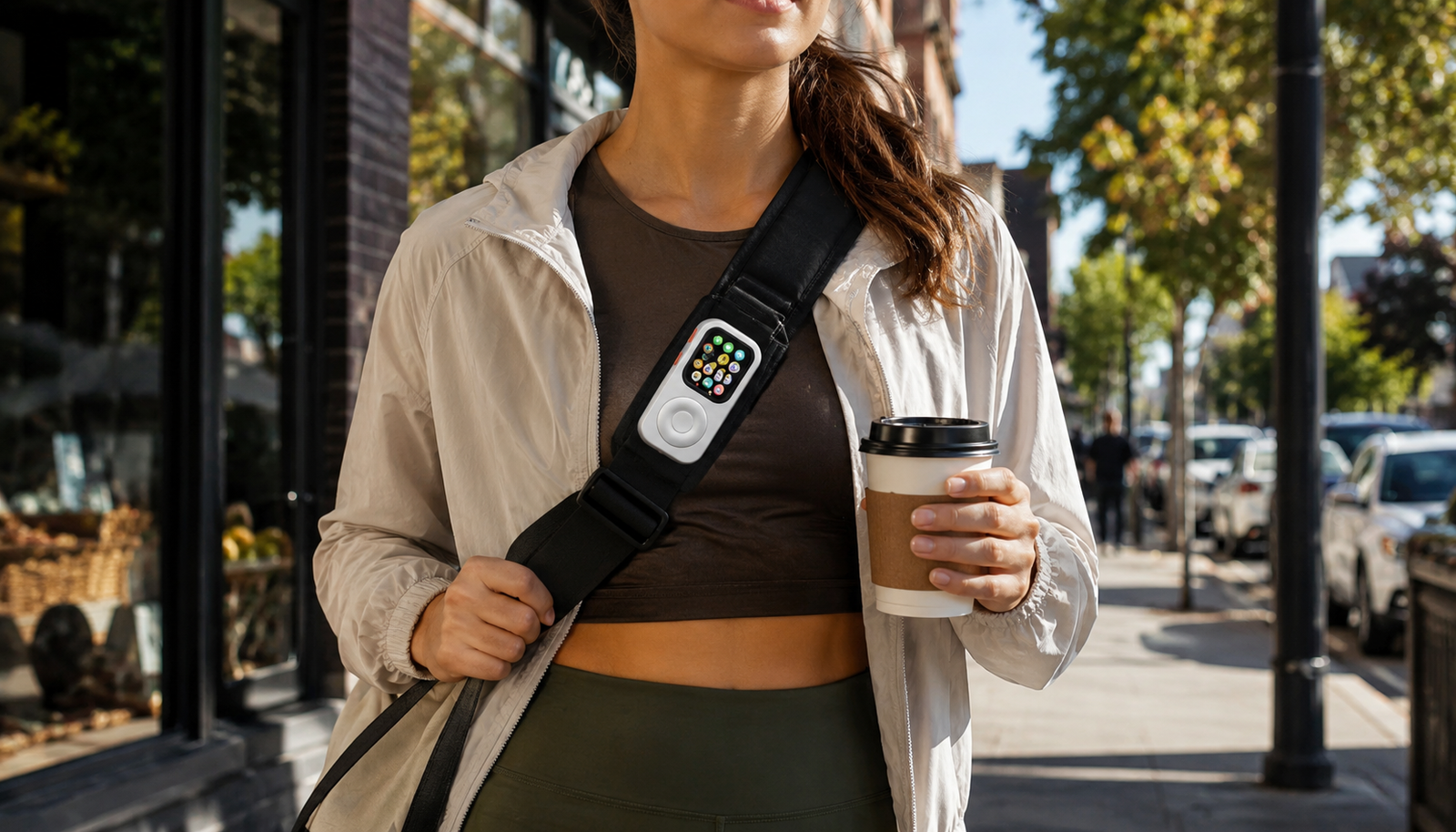
This setup makes sense for people who want to leave the house lighter.
Running, walking the dog, going to the gym, buying coffee, picking up groceries, commuting, or stepping out for a short errand do not always require a full iPhone.
Sometimes music, payment, calls, and a way to get home are enough.
Apple Ecosystem Users
Many minimalist phones sound good until you realize they do not fit smoothly into your Apple life.
If you rely on Apple Music, AirPods, Apple Pay, Siri, iMessage, or Apple Watch apps, leaving the Apple ecosystem can feel like punishment.
JustRePod keeps you inside the ecosystem. It simply changes the shape of the device you use.
Retro Tech Fans
If you miss the feeling of a dedicated device, JustRePod will make sense immediately.
The old iPod was not loved because it could do everything. It was loved because it did one thing with confidence.
JustRePod brings some of that feeling back, but with the modern functions Apple Watch already has.
Choose the Right JustRePod Size
Before you buy, check your Apple Watch size.
JustRePod is designed for specific Apple Watch sizes, including 40mm, 41mm, 42mm, 44mm, 45mm, 46mm, and 49mm models.
Do not guess.
Look at the back of your Apple Watch or check your Apple Watch model in the Watch app. Then choose the matching JustRePod size.
FAQ
Can you really turn an Apple Watch into an iPod?
Is JustRePod waterproof?
What can the scroll wheel control?
Can I still charge my Apple Watch inside JustRePod
Does JustRePod include an Apple Watch?
Do I need a cellular Apple Watch?
Can I remove my Apple Watch later?
Can I listen to music without my my iPhone?
Ready to Turn Your Apple Watch Into an iPod?
Your Apple Watch does not need to become another forgotten device in a drawer.
Turn the Apple Watch you already own into something you actually want to carry again.