


Stories

Not completely.
But that is not the most useful question.
The better question is this: can Apple Watch replace enough of your iPhone for the moments when you want less phone in your life?
For running, gym sessions, coffee trips, grocery runs, walks, errands, music, Apple Pay, short messages, and focused time, the answer is often yes.
Apple Watch is not a smaller iPhone. In many ways, that is exactly why it works.
It keeps the essentials close: calls, messages, music, Apple Pay, Siri, maps, timers, reminders, and emergency access. But it removes many of the things that make the iPhone hard to put down: endless feeds, videos, heavy browsing, constant app switching, and the feeling that every spare second needs to become screen time.
This guide breaks down what Apple Watch can replace, what it cannot replace well, when it makes sense to leave your iPhone behind, and how JustRePod can make the Apple Watch feel more natural as a phone-free everyday device.
The Short Answer
For a full workday, Apple Watch probably cannot replace your iPhone.
For a run, a gym session, a coffee trip, a grocery run, a walk, a focused afternoon, or a phone-free weekend window, Apple Watch can replace enough of your iPhone to be genuinely useful.
The key is expectation.
Apple Watch is not built for everything your iPhone does. It is not ideal for long typing, photography, video, deep web browsing, social media, document editing, or complex work apps.
But it is very good at quick, essential actions:
- Taking calls
- Sending short messages
- Listening to music and podcasts
- Using Apple Pay
- Checking directions
- Setting timers
- Asking Siri
- Tracking workouts
- Handling reminders
- Staying reachable
That makes Apple Watch less like a full iPhone replacement and more like an iPhone escape hatch.
It gives you a way to stay connected without carrying the device that constantly pulls your attention away.
What Apple Watch Can Replace
Apple Watch works best when you ask it to replace specific iPhone tasks, not the entire iPhone experience.
Here are the areas where it performs well.
Calls
A cellular Apple Watch can make and receive calls without your iPhone nearby, depending on your carrier plan, region, and setup.
This is one of the biggest reasons Apple Watch can work as a partial phone replacement. You can go for a walk, run, gym session, or quick errand and still stay reachable.
It is not always as comfortable as a long call on an iPhone. But for short conversations, family calls, quick confirmations, and emergency contact, it works well.
This matters because the fear of missing an important call is one of the main reasons people keep carrying their iPhone everywhere.
Apple Watch gives you a middle ground.
You do not have to bring the whole phone just to stay reachable.
Short Messages
Apple Watch is good for short messages, quick replies, and Siri dictation.
It is not good for long conversations or careful typing.
That limitation is not necessarily a problem. For digital minimalists, it can actually be part of the appeal.
A full iPhone makes every message feel like an invitation to keep going. You reply to one thing, then check another app, then open a notification, then forget why you picked up the phone in the first place.
Apple Watch makes communication smaller.
You can reply when needed, send a short update, dictate a quick message, or let something wait.
That is enough for many phone-free moments.
Music and Podcasts
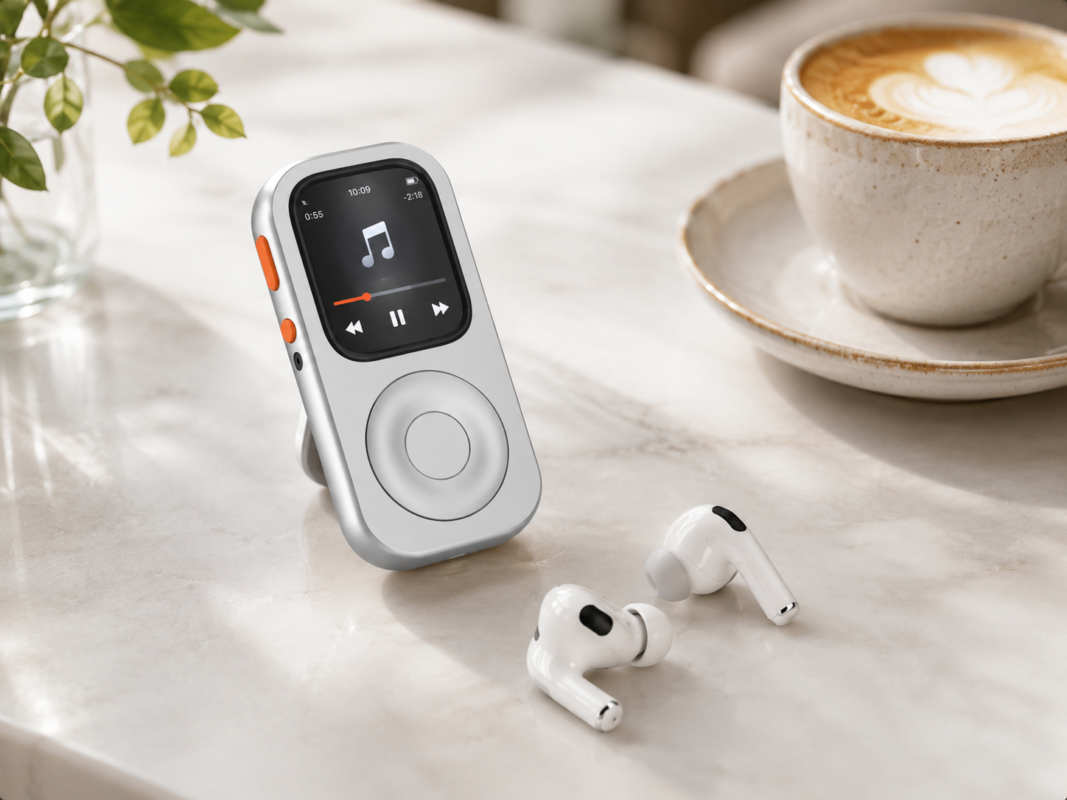
For music and podcasts, Apple Watch is already closer to an iPod than most people realize.
Pair it with AirPods or Bluetooth headphones, download playlists, or use cellular streaming, and you have a compact audio device that does not need your iPhone in your pocket.
This is one of the strongest Apple Watch use cases.
It works for:
- Walks
- Running
- Gym sessions
- Commuting
- Focus time
- Coffee runs
- Weekend mornings
- Podcasts before bed
The old iPod was loved because it gave music a dedicated place. Apple Watch can bring some of that feeling back, especially when you use it intentionally as a music-first device.
If your goal is to listen without scrolling, Apple Watch can be excellent.
Read more here:
Apple Pay
Apple Pay is one of the strongest reasons Apple Watch can replace your iPhone for errands.
If you can pay with your watch, you can leave more things behind.
A coffee run, grocery trip, transit ride, gym visit, or quick walk does not always require a full smartphone and wallet. Sometimes you only need music, payment, and a way to be reached.
Apple Watch covers that surprisingly well.
This is where the phone-free setup becomes practical instead of just philosophical.
Less phone is easy to talk about.
Paying for coffee without your phone is what makes it real.
Maps and Directions
Apple Watch can handle basic directions, walking routes, and quick navigation.
It is not as comfortable as a full iPhone map. The screen is smaller, the interface is simpler, and complex route planning is easier on a phone.
But for simple trips, it is often enough.
If you already know the area, need walking directions, or want a quick reminder of where to turn, Apple Watch can help without pulling out a larger screen.
It works best for lightweight navigation, not deep exploration.
That fits the broader theme: Apple Watch is good when the task is simple, short, and specific.
Timers, Reminders, Siri, and Shortcuts
Apple Watch is excellent at small actions.
It can set timers, check reminders, ask Siri, start workouts, trigger shortcuts, control music, show calendar items, and handle simple tasks without opening a large screen.
These are not exciting features.
They are better than exciting. They are useful.
A lot of phone use starts with something small:
“I just need to set a timer.”
“I just need to check the time.”
“I just need to reply to one message.”
“I just need to look at my reminder.”
Then the iPhone becomes a trapdoor.
Apple Watch helps keep small tasks small.
That may be its most underrated strength.
What Apple Watch Cannot Replace Well
Apple Watch is not good at everything.
It is not a camera.
It is not a comfortable typing device.
It is not where you want to edit documents.
It is not ideal for watching videos.
It is not good for deep web browsing.
It is not a great place for complex work apps.
It is not built for long reading.
It is not the right tool for photo editing, content creation, or social media management.
And that is exactly why it can be useful.
The Apple Watch removes many of the features that make the iPhone addictive.
If your phone is mostly a camera, keyboard, work device, or social media machine, Apple Watch will not replace it well.
If your phone is mostly music, payments, calls, short messages, reminders, directions, and quick checks, Apple Watch can replace more than you might expect.
This is the real distinction.
Apple Watch is not a full iPhone replacement.
It is a selective replacement.
It replaces the useful parts of the iPhone in specific moments, while leaving behind many of the distracting parts.
Why the Problem Is Not Just Software
Apple Watch already has many of the right features.
The issue is not capability.
The issue is form.
A tiny screen on your wrist is excellent for glances. It is great for notifications, workouts, health data, timers, quick replies, and checking the time.
But when you try to use Apple Watch as a small standalone device, the wrist can feel awkward.
Your arm is not a stable operating platform. The screen is small. Touching tiny controls can be annoying. Scrolling through lists, music, messages, or apps is possible, but not always pleasant.
That is where many people give up.
The Apple Watch can do enough, but it does not always feel natural to use that way.
This is especially true if you want Apple Watch to act more like a minimalist phone or compact music device. The functions are there. The experience is the missing piece.
That is the gap JustRePod is designed to address.
How JustRePod Changes the Experience
JustRePod does not change watchOS.
It changes the way your Apple Watch feels in your hand.
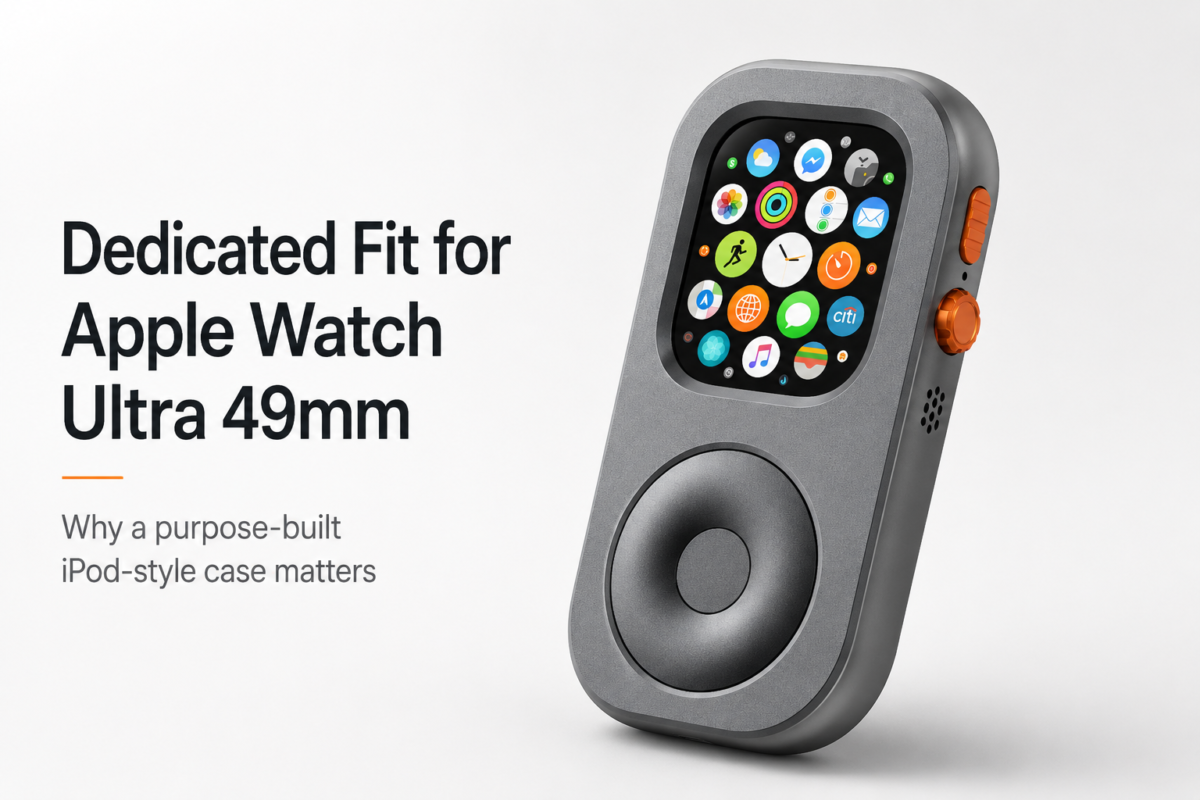
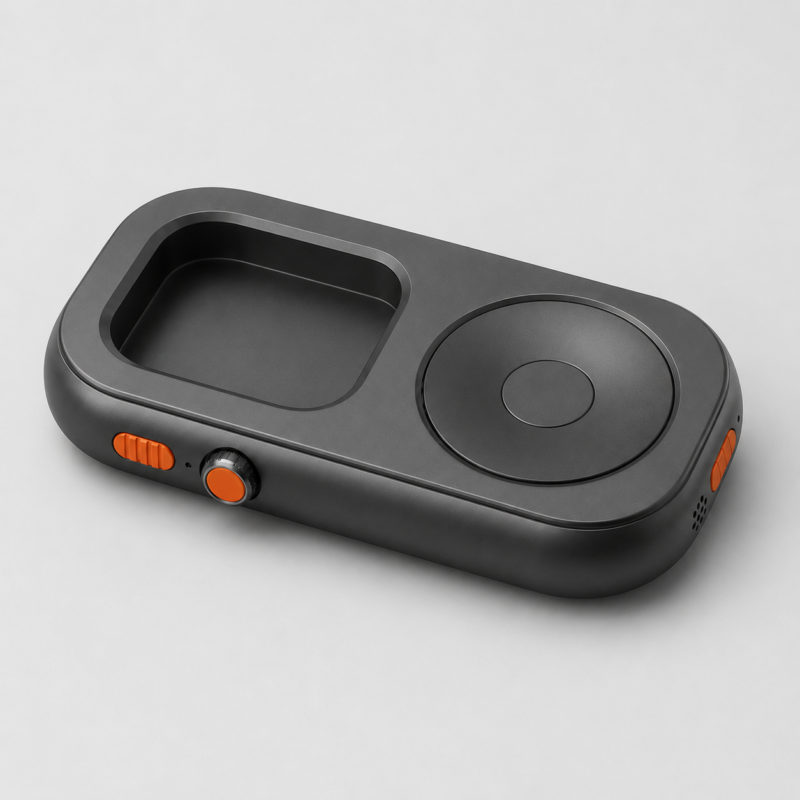
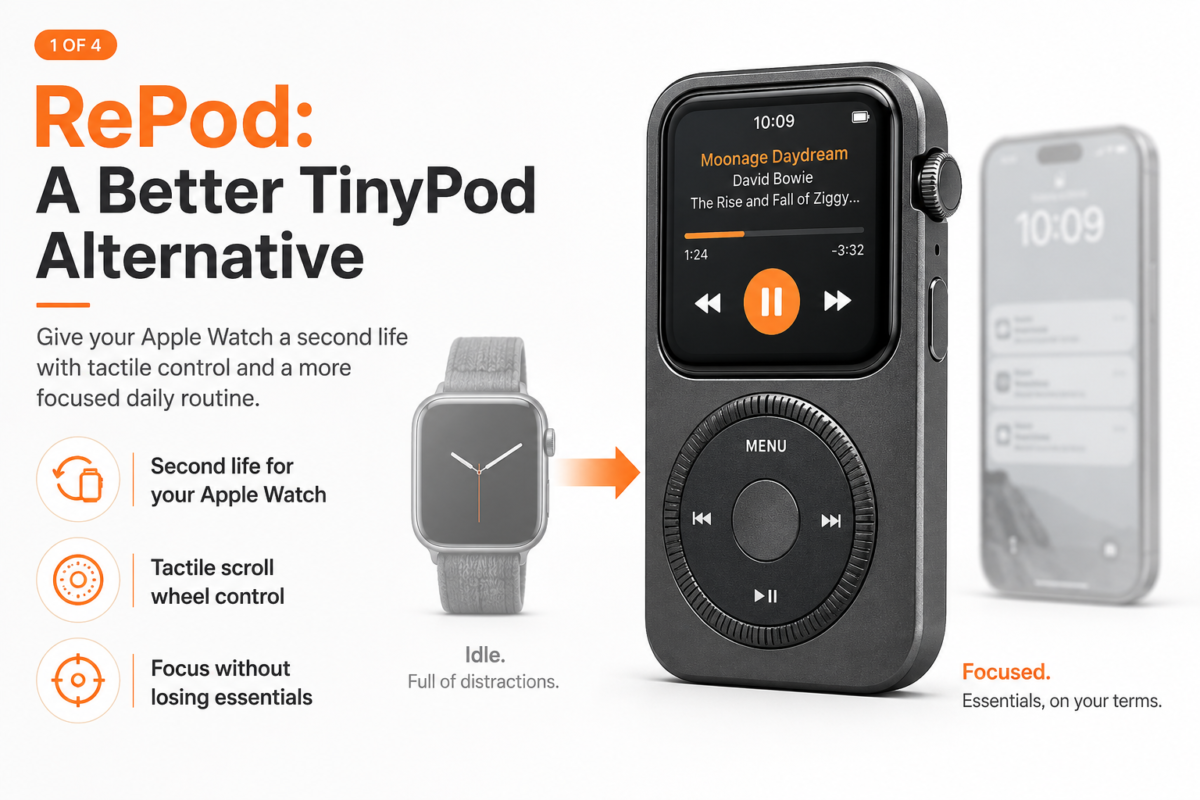
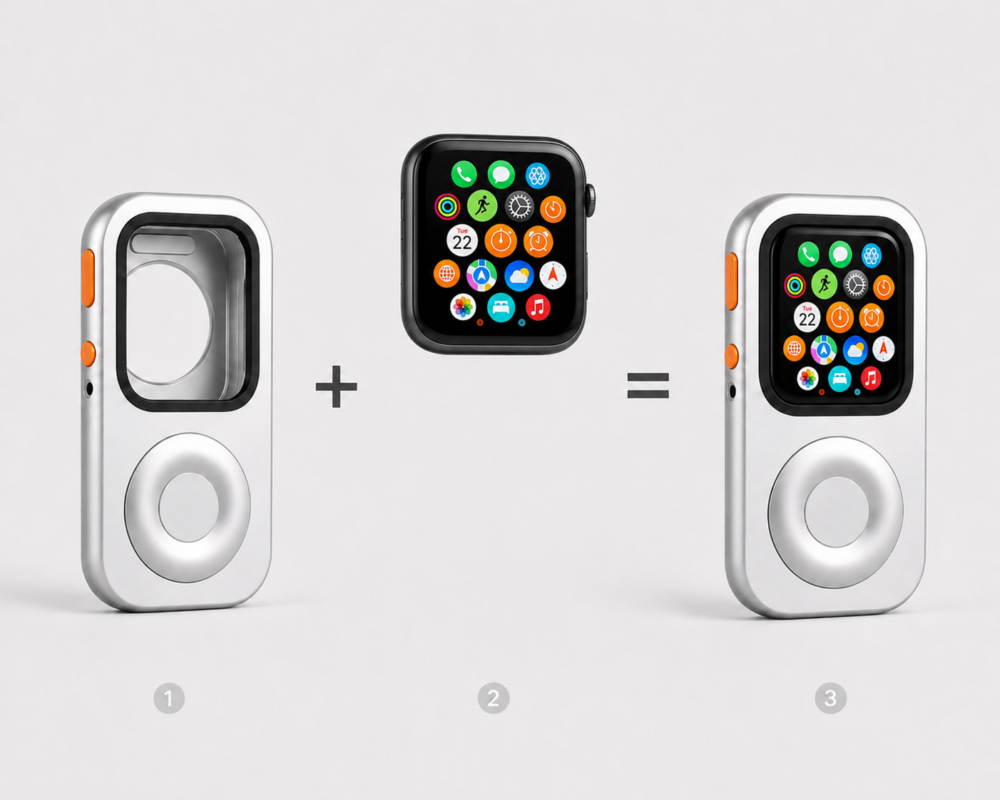
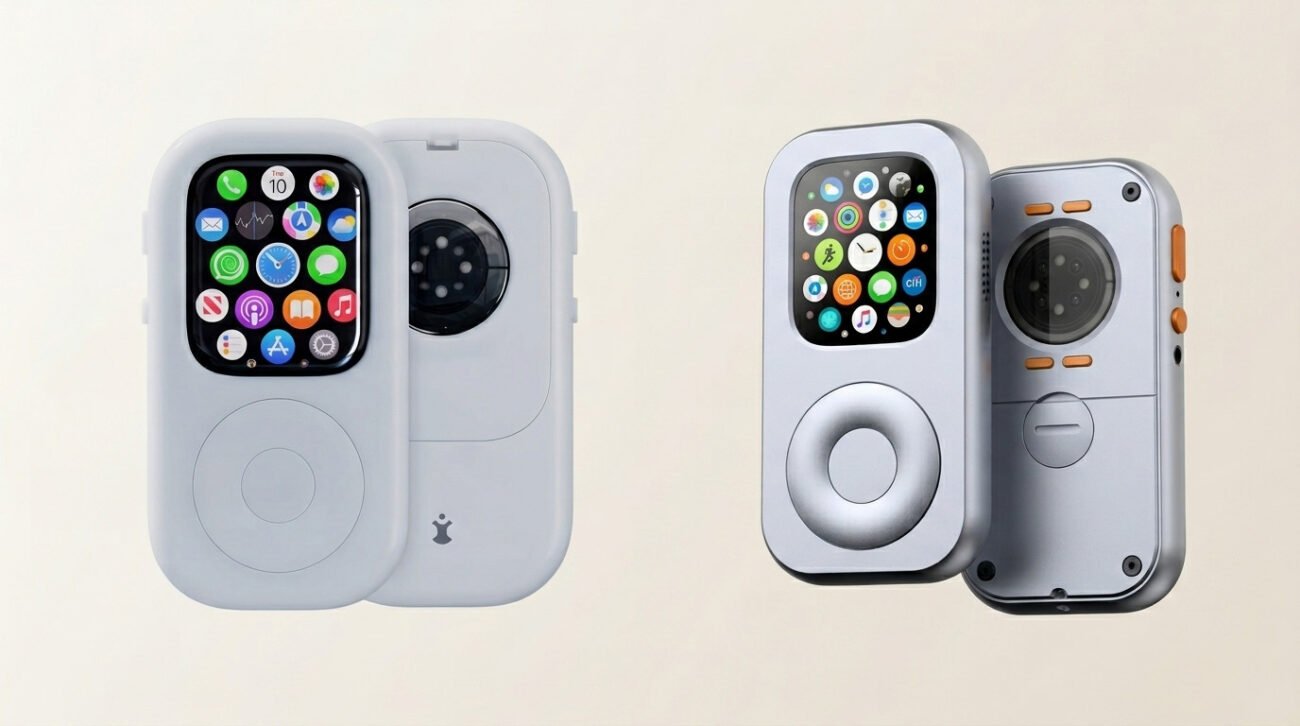
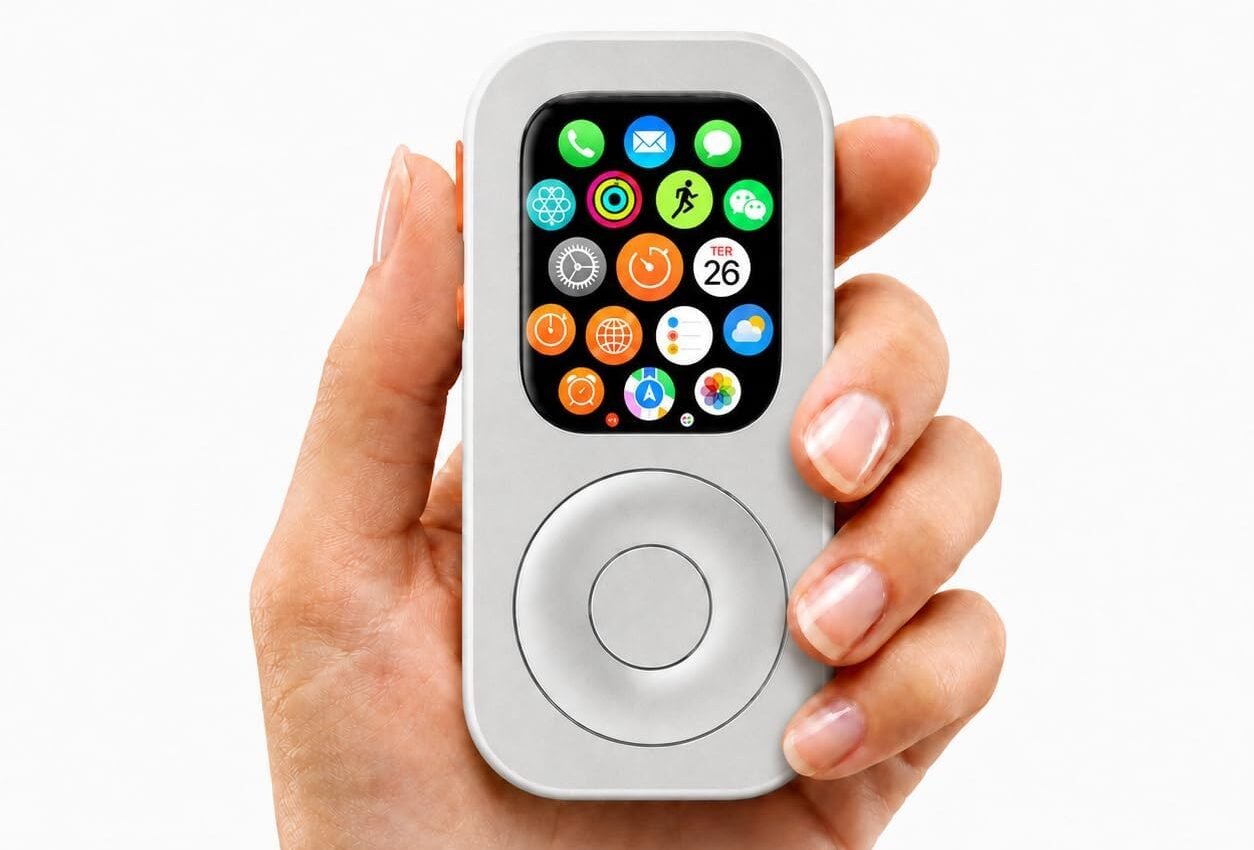
By placing the Apple Watch inside an iPod-inspired case with a tactile scroll wheel, JustRePod makes the watch feel less like a tiny wrist screen and more like a focused handheld device.
You still get the Apple Watch features you already use:
- Music
- Calls
- Messages
- Apple Pay
- Siri
- Maps
- Timers
- Reminders
- Shortcuts
- AirPods pairing
The difference is physical.
JustRePod changes how you hold the device, how you scroll, and how intentional the interaction feels.
That matters because Apple Watch already has the software foundation for a phone-free setup. Its main weakness as an independent device is that it can feel awkward to operate on the wrist. Your product materials define this clearly: RePod’s purpose is to bridge that “last mile” by giving Apple Watch a more enjoyable, iPod-inspired physical form.
A scroll wheel gives your fingers something tactile to do. A handheld form makes the device feel more like a small tool. The iPod-style shape turns Apple Watch into something you might actually want to carry when you leave your phone behind.
JustRePod does not make Apple Watch a full iPhone.
That is the point.
It helps Apple Watch become a better version of what it already is: a compact Apple device for music, calls, payments, short messages, and lighter phone-free moments.
Shop JustRePod:
Find your Apple Watch size:
Best Times to Leave Your iPhone Behind
Apple Watch works best as an iPhone replacement when the situation is specific.
Do not start by trying to replace your phone for an entire week.
Start with moments.
Running
Running is one of the best times to leave your iPhone behind.
A phone can bounce in your pocket, pull on your shorts, feel heavy in an armband, or interrupt your run with notifications you did not need.
Apple Watch can handle workout tracking, music, calls, messages, timers, and Apple Pay after the run.
For many runners, that is enough.
Read more:
Gym Sessions
The gym is another strong use case.
You probably need music, maybe a timer, maybe Apple Pay, and a way to be reached if something important happens.
You probably do not need social media, email, a camera roll, a browser, or a full home screen of apps.
Apple Watch fits that environment well.
Coffee Runs and Quick Errands
A quick coffee run does not need to become a full phone trip.
With Apple Watch, you can listen to music, pay with Apple Pay, take an important call, and come back without carrying your iPhone.
This is a small thing, but small habits matter.
If you want to use your phone less, start with the short trips where you do not really need it.
Dog Walks
Dog walks are perfect for a lighter setup.
Music, podcasts, calls, messages, and Apple Pay are usually enough. Your iPhone can stay home.
A phone-free walk also feels different. You notice more. You reach for less. You still have the essentials if someone needs you.
That is the balance Apple Watch does well.
Grocery Trips
Apple Watch can handle reminders, Apple Pay, short messages, and quick calls.
For a small grocery trip, that may be enough.
If you use a detailed shopping app or need to compare products online, bring the phone. But for a simple errand, Apple Watch can keep things lighter.
Focus Blocks
Some of the best phone-free moments happen indoors.
Put your iPhone in another room. Use Apple Watch for timers, urgent calls, reminders, music, and Siri.
This gives you a boundary.
You are not unreachable.
You are not completely offline.
You are simply less available to distraction.
That is often the sweet spot.
Weekend Mornings
A phone-free weekend morning can change the tone of the day.
Music, coffee, a walk, a few messages, maybe a call — none of that requires a full iPhone.
Apple Watch can let you keep the useful parts of connection without starting the day inside a feed.
That is not a productivity hack.
It is just calmer.
Cellular vs GPS Apple Watch: Which One Works Better?
A cellular Apple Watch is better if you want to leave your iPhone behind regularly.
With cellular, Apple Watch can do more independently, including calls, messages, music streaming, and some app functions without your iPhone nearby.
A GPS-only Apple Watch can still be useful. It can handle downloaded music, workouts, timers, alarms, and some offline routines. But it depends more on your iPhone for communication and connectivity.
So the answer depends on your goal.
If you want Apple Watch for workouts, downloaded music, timers, and basic routines, GPS may be enough.
If you want Apple Watch to act as a partial iPhone replacement for calls, messages, and more independent use, cellular is the better choice.
JustRePod can work with the Apple Watch you already have, but your phone-free experience will depend heavily on what your Apple Watch model and plan support.
Who Should Not Use Apple Watch as an iPhone Replacement?
Apple Watch as an iPhone replacement is not for everyone.
You probably should not rely on Apple Watch as your main phone alternative if you:
- Type long messages often
- Need your phone camera constantly
- Work from mobile apps all day
- Browse the web heavily
- Watch a lot of video
- Depend on social media for work
- Need complex navigation
- Read long articles on your phone
- Edit documents or media on mobile
Apple Watch will feel limiting in those cases.
But if your phone is mostly a way to stay reachable, listen to music, pay for things, check reminders, and handle small tasks, Apple Watch may cover more than you think.
The trick is not to ask Apple Watch to be an iPhone.
The trick is to let it be smaller on purpose.
Final Verdict
Apple Watch cannot fully replace your iPhone.
But it can replace the iPhone for specific moments, and those moments may be exactly where you need less phone the most.
For calls, music, Apple Pay, short messages, workouts, errands, walks, and focused time, Apple Watch can be enough.
With JustRePod, it becomes easier to treat Apple Watch as a small, focused device instead of a tiny screen on your wrist.
That difference matters.
Because sometimes the problem is not that you need a new phone.
Sometimes the problem is that you need a better way to leave your phone behind.
Apple Watch is not a full iPhone replacement.
It is an iPhone escape hatch.
FAQ
Can an Apple Watch fully replace an iPhone?
No. Apple Watch cannot fully replace an iPhone for typing, camera use, video, web browsing, complex apps, and full work tasks. But it can replace your iPhone for specific moments like workouts, errands, music, Apple Pay, short messages, and calls.
Can I use Apple Watch without my iPhone nearby?
A cellular Apple Watch can do more without your iPhone nearby, including calls, messages, music streaming, and some apps. A GPS-only Apple Watch depends more on your iPhone, though it can still handle downloaded music, workouts, timers, and some offline tasks.
Do I need a cellular Apple Watch to leave my iPhone at home?
Cellular is strongly recommended if you want calls, messages, and more independence from your iPhone. Without cellular, your Apple Watch is more limited when your iPhone is not nearby.
Can Apple Watch make calls without iPhone?
A cellular Apple Watch can make and receive calls without your iPhone nearby, depending on your carrier plan, region, and setup.
Can Apple Watch play music without iPhone?
Yes, depending on your model, app, downloads, and cellular setup. You can use downloaded playlists or stream with cellular, then listen through AirPods or Bluetooth headphones.
Can I use Apple Pay without my iPhone?
Yes, Apple Pay on Apple Watch can work without taking out your iPhone, as long as it is set up correctly and supported in your region.
Is Apple Watch a good minimalist phone?
For many Apple users, yes. It keeps useful essentials like calls, messages, music, Apple Pay, Siri, and maps, while removing many distractions that make smartphones hard to put down.
How does JustRePod help?
JustRePod gives Apple Watch a more handheld, iPod-inspired form with tactile scrolling. It does not change watchOS, but it makes Apple Watch feel more natural as a focused phone-free device.
Build Your Phone-Free Apple Watch Setup
You do not have to replace your iPhone completely to use it less.
Start smaller.
Leave it behind for a run.
Leave it behind for coffee.
Leave it behind for a walk.
Leave it in another room while you work.
Apple Watch can keep the essentials close: music, calls, messages, Apple Pay, Siri, timers, maps, and reminders.
JustRePod gives those essentials a new form — more tactile, more focused, and easier to carry when you want less phone without losing the parts that matter.
Can Apple Watch Replace Your iPhone?
Find your Apple Watch size: